Introducing Mail Hermit
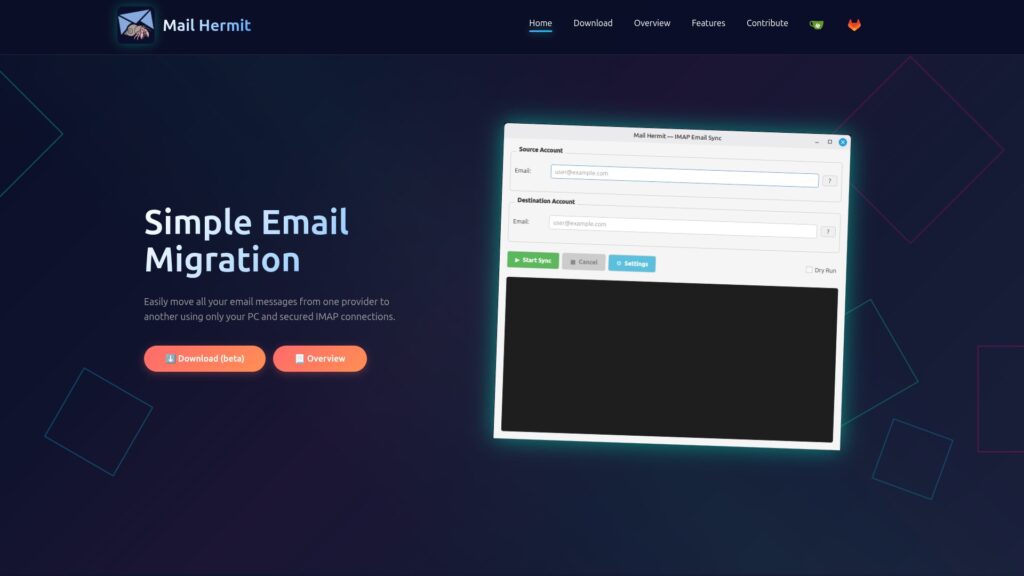
Mail Hermit is an open-source local-only email message transfer program. If you want to change your email address from one provider to another (ie: gmail or yahoo to a more private email server – like Modoboa) and take your email messages with you, then Mail Hermit was made especially for you.
Mail Hermit was named after the Hermit Crab, that regularly trades out it’s old shell for a new shell whenever the old shell starts sucking for any reason. With big tech creating social profiles on you and unconstitutionally sharing those profiles with anyone who pays for them, some shells simply aren’t worth using any longer. Time to swap shells and get a new email provider! There’s no reason not to take your email messages with you when you leave.

Being local-only means that no external services are used to transfer your email messages and being open-source means that you can look at the code and make sure that it’s safe. If you trust your own PC, then you can easily and securely transfer your email messages from one account to another without worrying about prying eyes using Mail Hermit.
Mail Hermit uses the secure IMAP protocol to both download your messages from your current provider and to upload your messages to your new provider. These mail services include SSL certificates by default, and so your email messages will be safe during transit.
You can compile and run the code directly, or if you’re up for it, I also included the scripts that I use to make the binaries, so you can also make your own binaries too. With Mail Hermit, you’re in control.
Technology stack
Mail Hermit itself is pure Python and QT for the GUI. No external programs are used and python libraries were used to implement IMAP connections to the email servers. Mail Hermit includes a console window so you can actively see what Mail Hermit is doing. Again, the focus is on transparency.
From there, I use Nuitka to compile the Python code to binary so that it’s sleek and fast – making binaries for both windows and Linux. I run Linux natively and I used Wine for the windows environment to compile the windows binary.
Once I have the binaries I used the Nullsoft Installer to make the windows installer, and I use various package management tools (like “appimagetool“) to package the Linux binary for various Linux distributions.
Free Yourself from Big Tech
The biggest drawback when setting up a private email server is that most people have no idea how. I get it, email services are extremely complicated when you start getting into the meat of it. Like, what the heck is an MTA, protocols like POP, IMAP, SMTP, DNS records like SPF, DKIM, and RDNS. It’s a lot to take in if you’re not a technical person.
Thankfully, there are programs that can help with this. I used to be a huge fan of the Zimbra Community email server but like so many things, Zimbra was sold to a big money corporate acquisition company and they killed their Community version of Zimbra, so it’s gone the way of the Dinosaur. Now, the best private FOSS email server I’ve found is Modoboa, which is being developed by some good people in France (Antoine Nguyen). There are some other good email servers out there, but I feel Modoboa offers the best amount of freedom and usability at the moment. I also happen to like the tech stack (python, postfix, postgresql) quite a bit as well. The nice thing about Modoboa is that unlike Zimbra, which combined proprietary elements with OSS elements, Modoboa is FULLY OSS, being licensed under the ISC License which is generally considered functionally equivalent to the MIT License . So even if Antoine decided he couldn’t afford to continue developing Modoboa, someone else can take up the torch and continue what he’s built. Thank you Antoine! <3
With a cheap VPS from a privacy and individual-respecting company (ie: not Amazon, Google, or Microsoft), you can very affordably and fairly easily set up a private email server. Modoboa supports unlimited domains and email accounts – so the only limitation is your hardware, and you can start small.
The next draw-back is that current big email services like Gmail and Yahoo don’t usually accept email from VPS service providers. The reason is that those service providers get compromised and sometimes send out massive amounts of spam – this does happen, but it’s also easier to blacklist everything than to properly filter things. Again, I get it. A solution to this is to use an SMTP-relay service. I recommend the service offered by Postmark or DuoCircle. It’s cheap and as long as you have everything set up on your email server correctly, it will mean that your email will get through to “difficult” providers like gmail.
If you’d like me to write up a full how-to on how to set up your own production-ready email service, please comment below and let me know. I just don’t want to take all the time it will take to write it up if no one is interested.
Thank you for checking out Mail Hermit and good luck out there in the world of Tech!